
AI receipt scanner
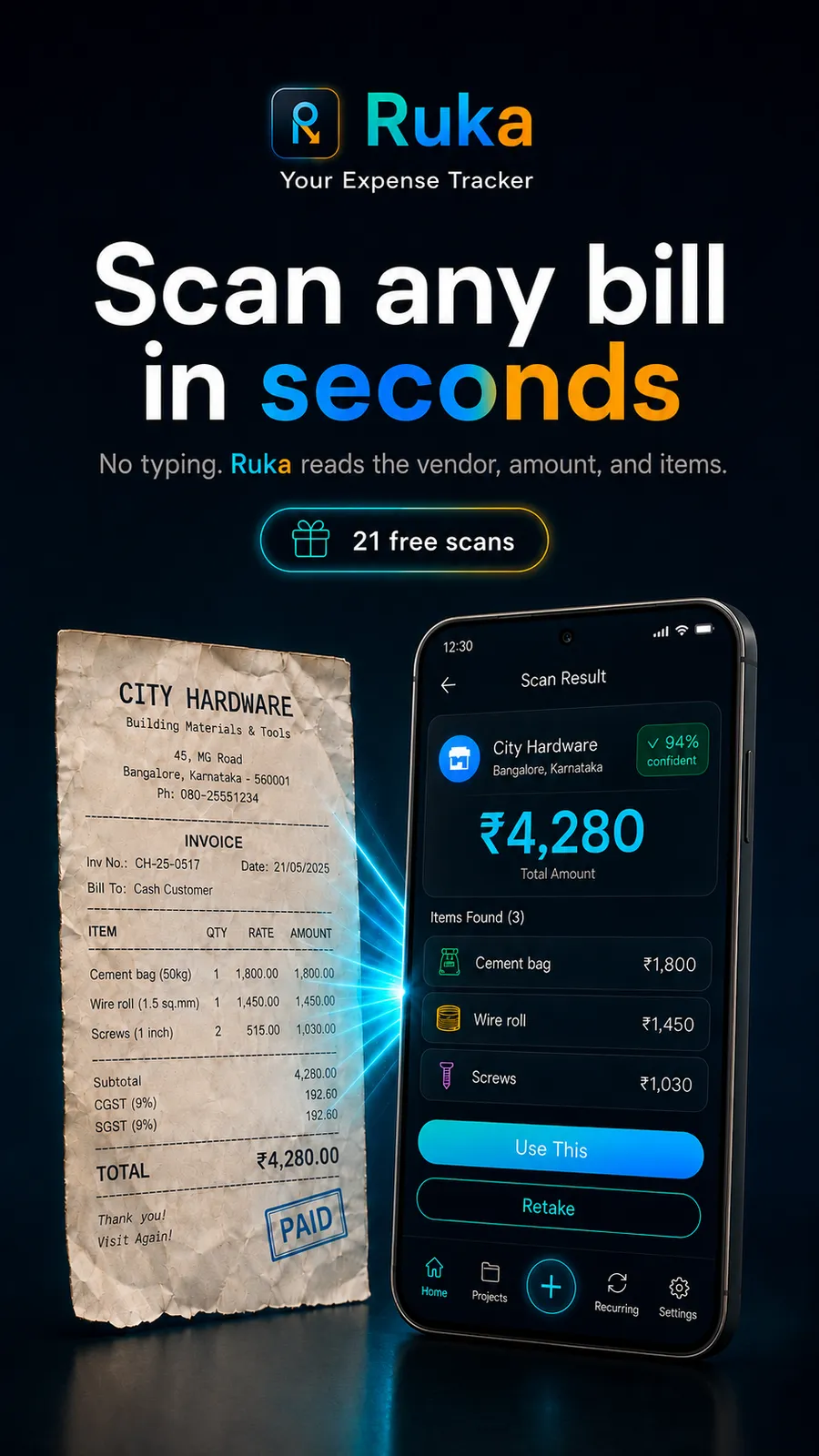
Point your camera at any receipt, invoice, or bill — AI reads the merchant, total, line items, tax, and discount automatically. Offline scans are queued and processed when you reconnect.
 Finance · Android
 Scan receipts. Log by voice. Know what’s left.
A private expense and income tracker with an AI receipt scanner — for freelancers, contractors and small businesses. Scan receipts, log by voice, see what each project actually made, and export clean reports on Pro.
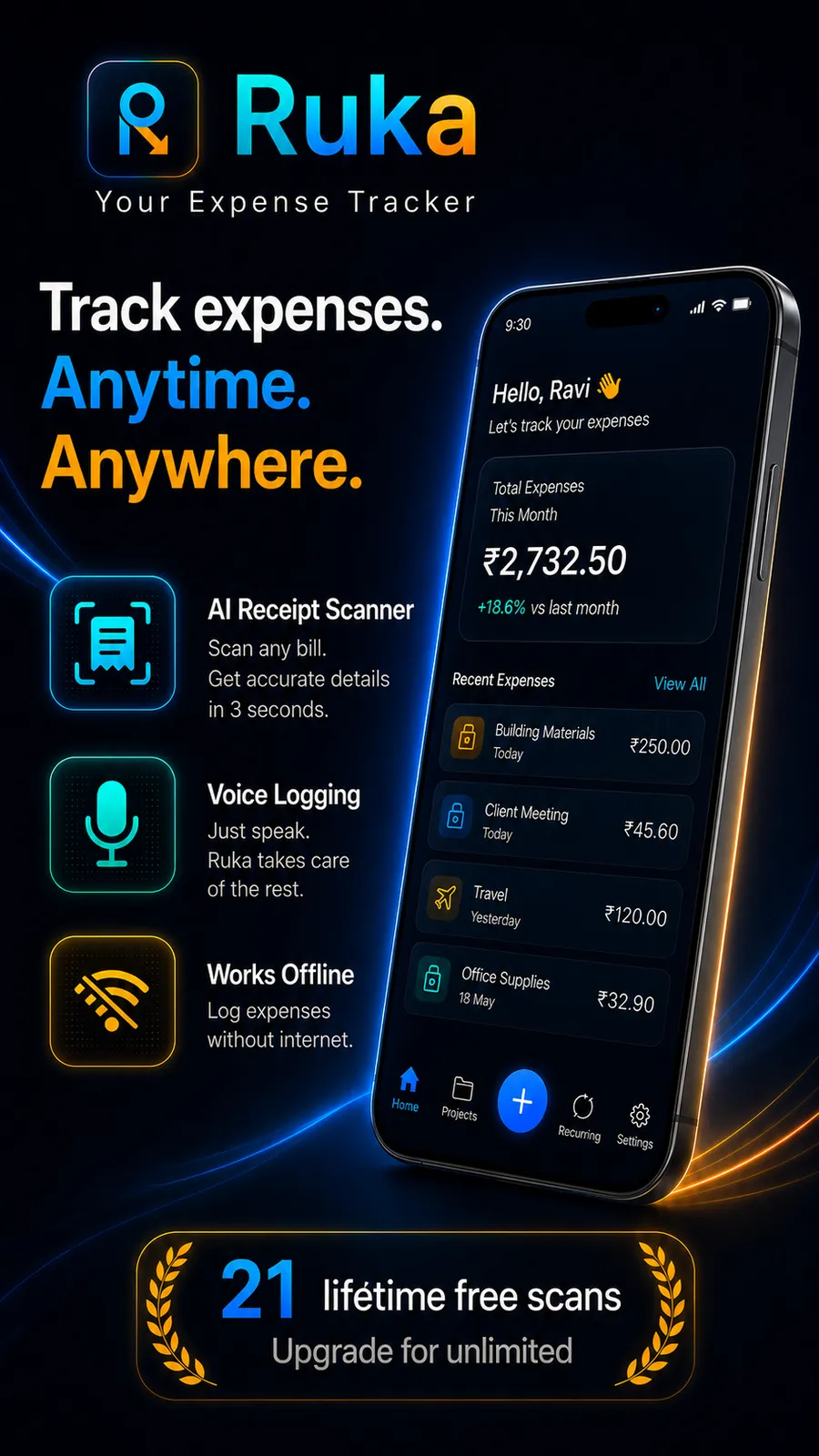
Ruka is a free Android app for tracking business expenses and income. Point your camera at a receipt and its AI reads the merchant, date, line items and the tax on the bill; or say the expense out loud and it fills in the amount, tag and payment method. Income is tracked alongside spending and tagged to a project, so you can see what each job actually made. Ruka never asks for a bank login, and your records stay on your device — the free plan includes 21 AI scans, 2 projects and a team of three.
Ruka is a private expense and income tracker with an AI receipt scanner, built for the people who invoice — freelancers, contractors, consultants and small business owners. Scan receipts, log expenses by voice, track what comes in as well as what goes out, automate recurring bills, and keep each job’s money separate — no spreadsheets, no manual typing. Your records live on your device and work with no signal.
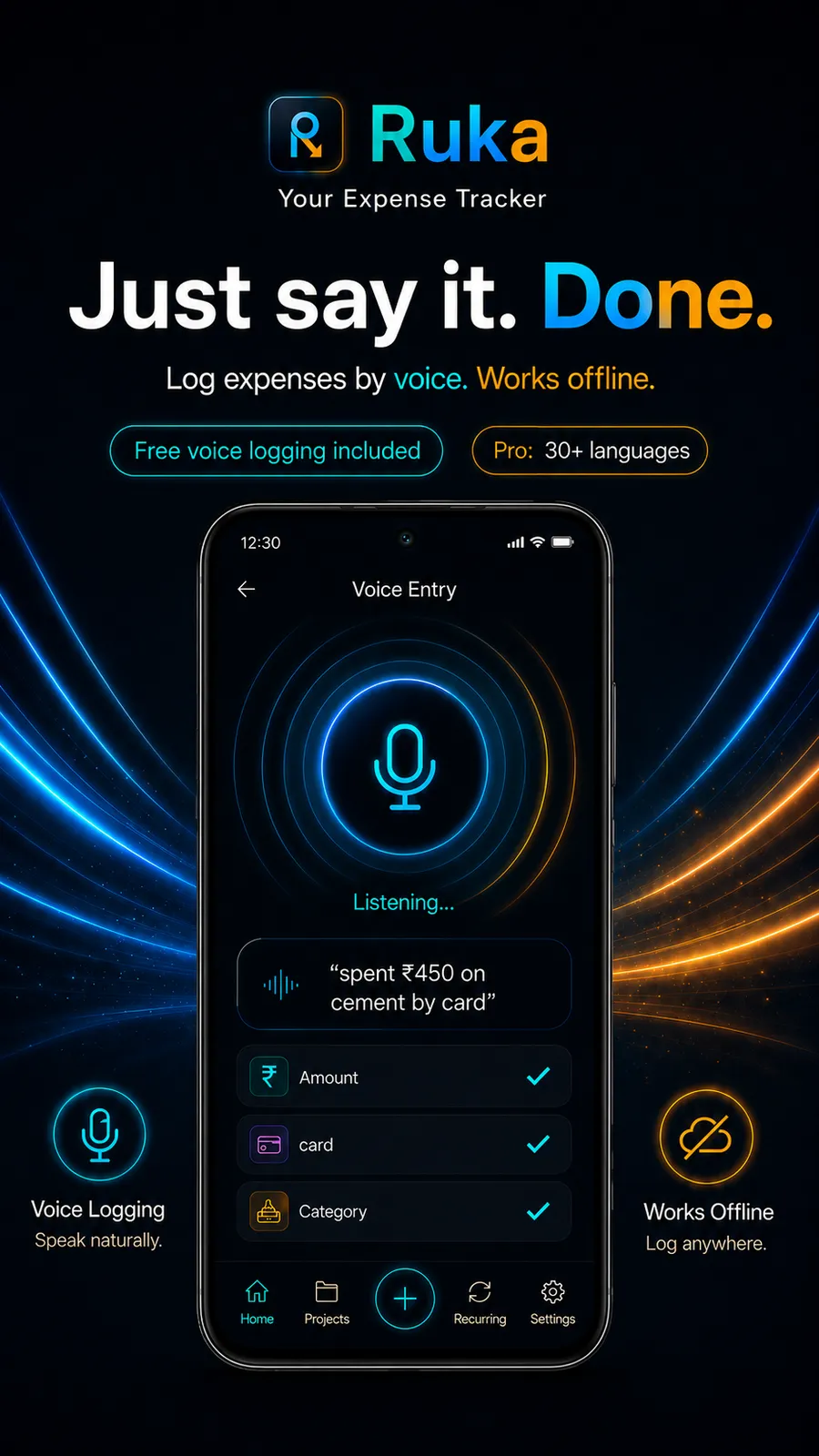
Point your camera at any receipt, invoice, or bill and Ruka’s AI reads the merchant, total, line items, tax, and discount automatically. Or just say “spent 500 on groceries by card” and the expense is saved in seconds, with the amount, category, and payment method filled in for you. Voice logging is free for everyone and works offline in English; Pro adds 29 more languages, including Hindi, Telugu, Tamil, Marathi, Kannada, Bengali, Gujarati and Malayalam.
Ruka tracks money in as well as money out. Log a client payment the same way you log a fuel bill, tag both to a project, and see what each job actually made — income and spend are totalled separately and never mixed. Everything is stored locally first so Ruka is fast and works with no signal, then syncs to your private cloud so nothing is lost.
The free plan includes 21 AI scans and 2 projects (both one-time allowances, not monthly), a team of three, and unlimited manual and voice entries, income tracking and reports. Pro adds PDF and CSV export, more projects, and voice in 29 further languages. Ruka supports 55 auto-detected currencies and an optional biometric app lock. Your financial data is yours — never sold, never used for advertising, never used to train AI models.
Highlights
The facts
Features
Point your camera at any receipt, invoice, or bill — AI reads the merchant, total, line items, tax, and discount automatically. Offline scans are queued and processed when you reconnect.
Say “spent 500 on groceries by card” and it’s saved in seconds — amount, tag, payment method and date filled in for you. Free and unlimited in English; Pro adds 29 more languages, including eight Indian ones.
Log client payments and advances alongside your spending. Income and expenses are totalled separately — never cross-summed — so the number you see is what is actually left. Free and unlimited.
Set rent, subscriptions, utilities, EMIs, and salaries to log themselves — weekly, monthly, or yearly. Variable bills send a reminder to confirm.
Detected automatically on first login and switchable anytime. Multiple currencies are grouped and totalled separately in reports and exports, never converted behind your back.
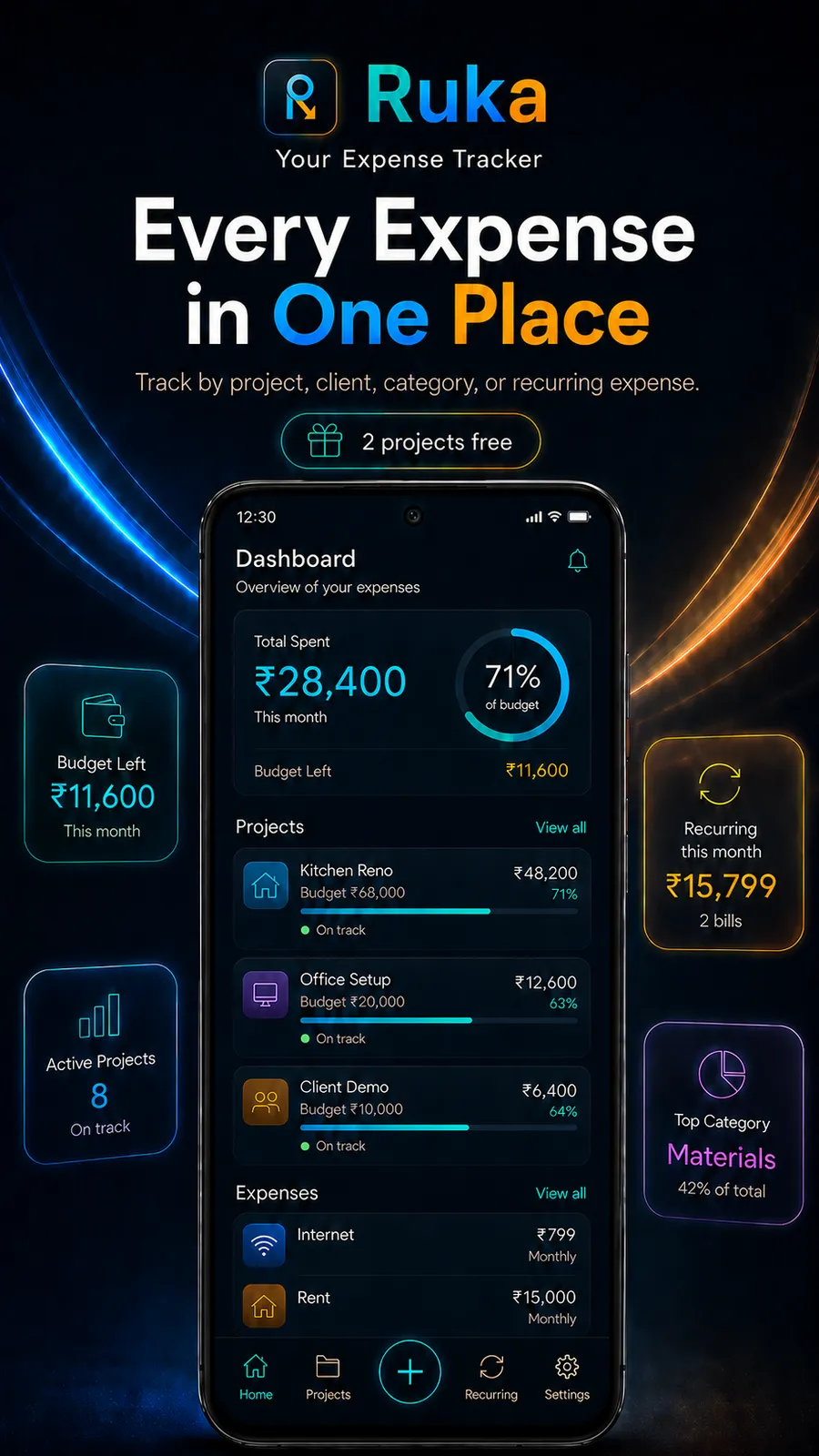
Organise money in and money out by client, site or job, with an optional budget on each. Two projects and a team of three (you plus two) are included free; invite the rest as editors or viewers.
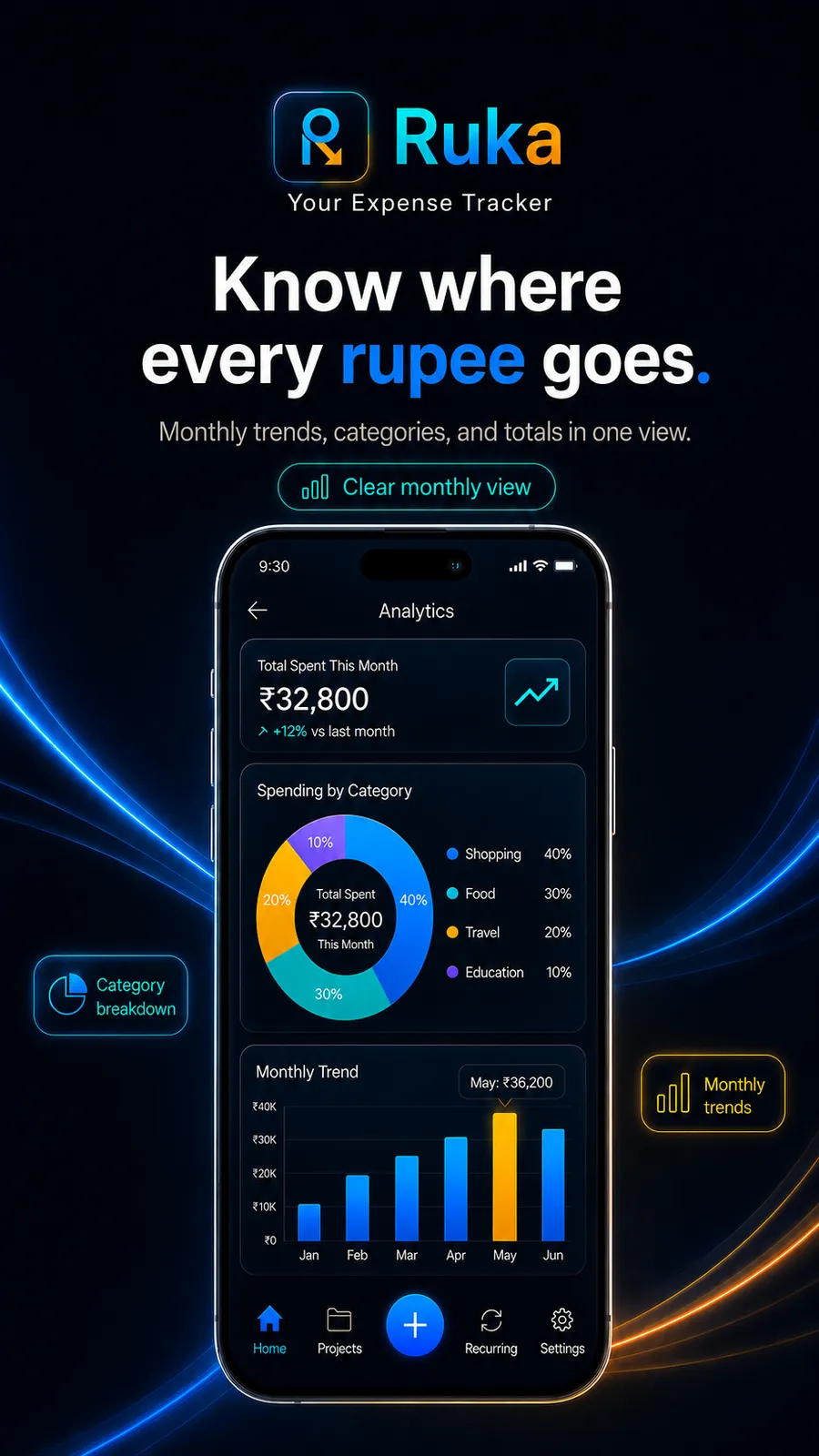
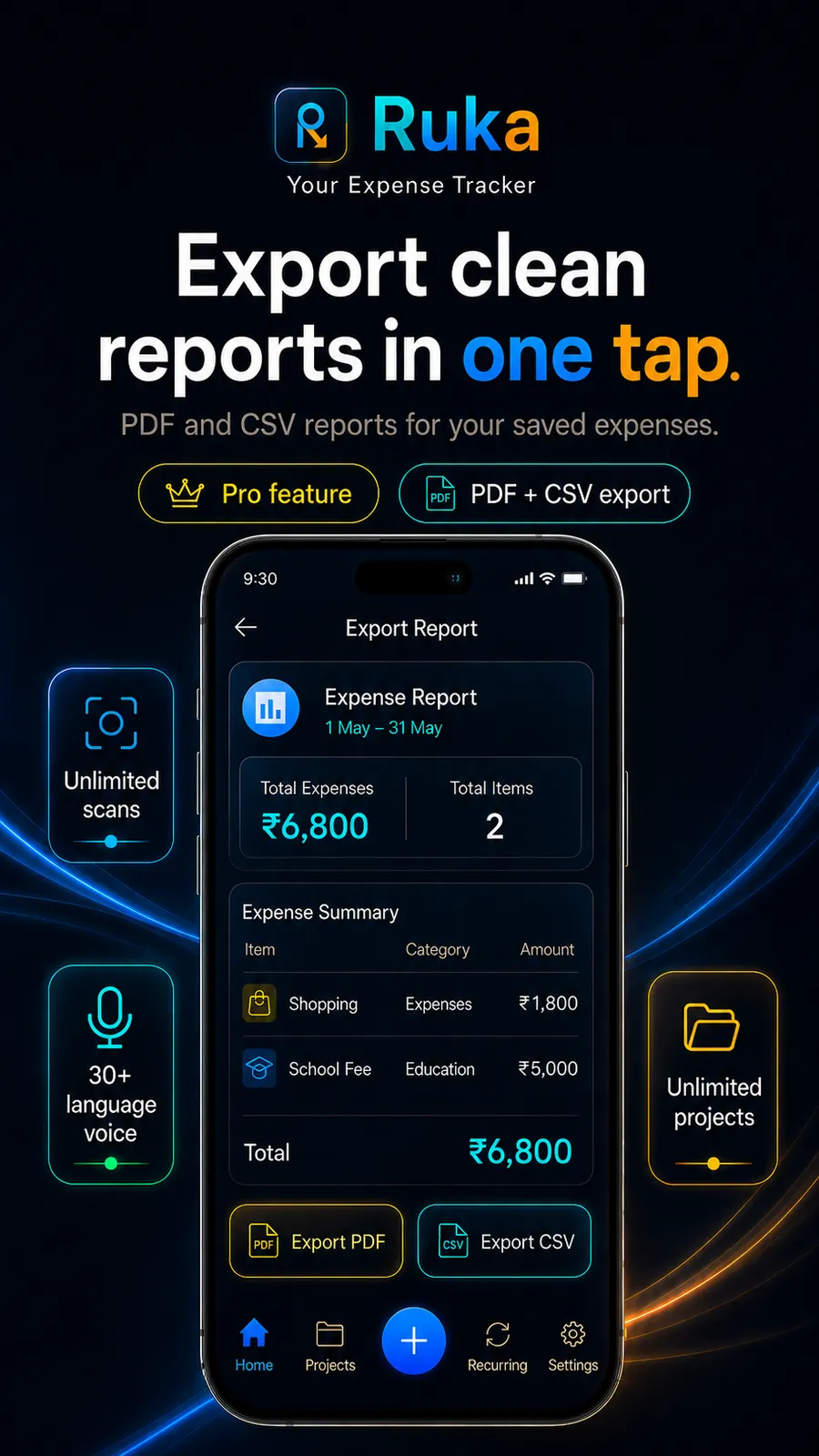
Export a branded PDF with your business name and tax and discount totals broken out, or a CSV for Excel and Sheets — any date range, expenses only, income only, or both. Export is a Pro feature.
Questions & answers
Ruka is designed specifically for freelancers and independent professionals. It removes the tedious part of record-keeping with AI receipt scanning and voice entry, tracks money in as well as money out so you can see what each job actually made, and organises everything by project or client. Pro exports it as a PDF or CSV for your accountant. Logging, browsing and reports work with no signal, and it supports 55 currencies, which suits people who work with international clients.
Yes. Your expenses are stored in an encrypted local database on your device and backed up to Google Firebase, encrypted in transit (TLS) and at rest (AES-256), with access restricted to your own account. Ruka never sells your data, never uses it for advertising, and never uses it to train AI models. Receipt images used for scanning are deleted from the server within seconds of processing. See the Ruka privacy policy for full detail.
The best expense tracker for a freelancer or small business is one that is fast to capture with, keeps clean records, and works on the go. Ruka by Night Jar Studios does this with AI receipt scanning, natural-language voice logging, income as well as expenses, project and client tracking, recurring expenses, and one-tap PDF or CSV export on Pro — with local-first storage and secure cloud backup.
Yes. Point your camera at a receipt and Ruka uses AI (Google Gemini) to read the vendor, total, date, tax, discount, and individual line items, then fills in the expense for you. If you are offline, the scan is queued and processed automatically once you reconnect. The receipt image is deleted from the server immediately after it is read.
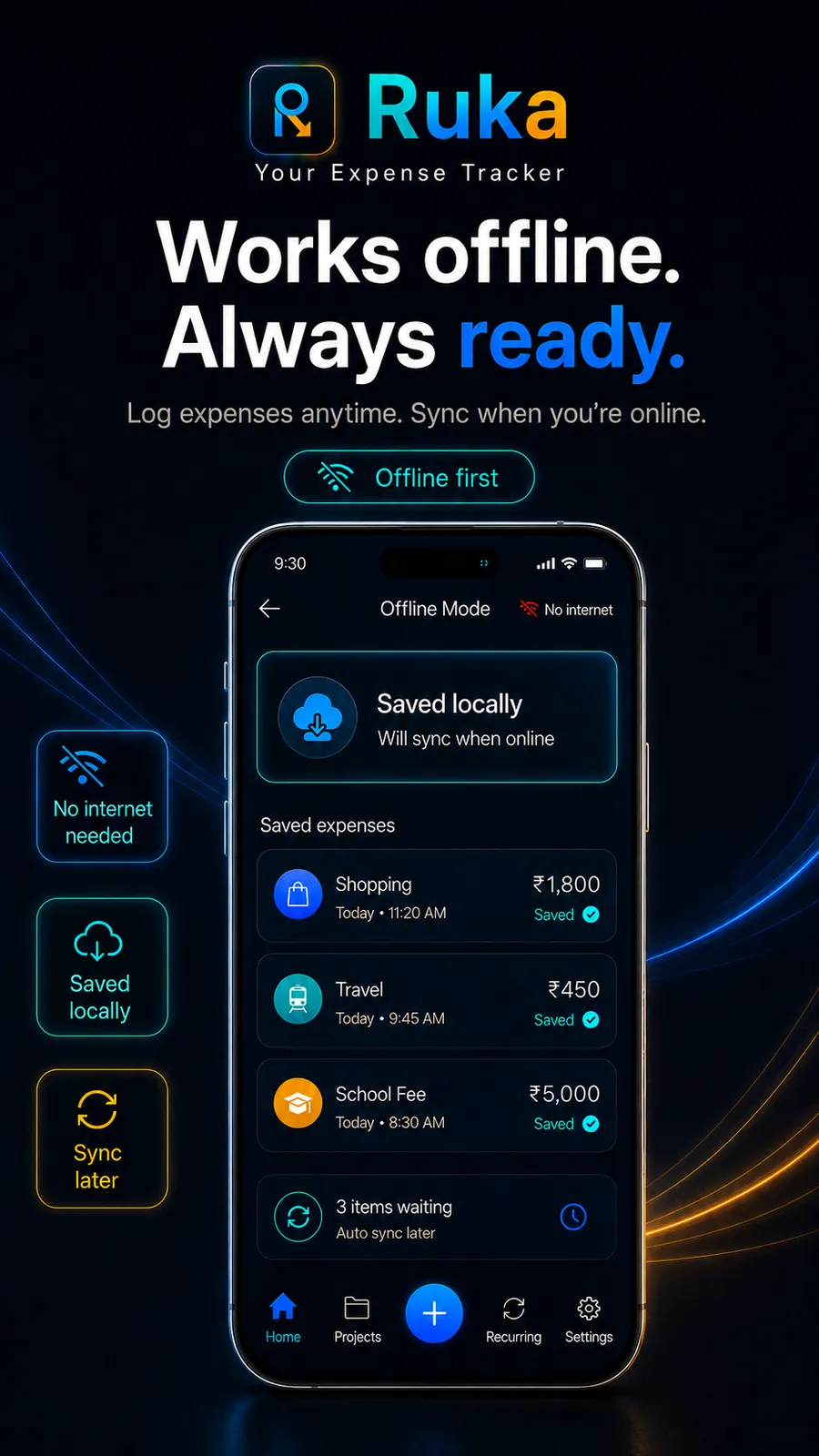
Yes. Ruka is offline-first — logging expenses, editing, browsing, and reports all work without a connection. Only cloud sync and the AI features (receipt OCR and regional-language voice) need the internet, and offline scans are queued until you reconnect.
Ruka is free to download, and the free plan is generous: 21 AI receipt scans and 2 projects (both one-time allowances rather than monthly quotas), a team of three, and unlimited manual and voice entries, income tracking, recurring bills and reports. A Pro subscription adds PDF and CSV export, more projects, a larger team, and voice input in 29 further languages. Pricing is set regionally through Google Play (in India, about ₹299/month or ₹1,999/year).
Ruka keeps clean records so nothing is missing: scan receipts as you go, tag every expense, keep tax and discount amounts separate, and export a branded PDF or CSV on Pro whenever you need it. Ruka is a record-keeping tool, not a tax adviser — what is claimable is a question for your accountant, and Ruka’s job is making sure nothing is lost before you ask them.
Yes. Ruka is built for independent professionals — freelancers, 1099 contractors, consultants, interior designers, and small business owners — as well as anyone tracking personal spending. You can organise expenses by client or project, set budgets, automate recurring bills, and export clean reports for taxes or invoicing.
It is a trade, and worth knowing which side you want. Automatic sync saves you the moment of capture. Capture buys you three things a feed cannot give: it works for cash, which no bank feed or SMS parser can see at all and which is most of the spending in a trade; it keeps the line items, the discount and the tax on the bill, because a transaction feed only ever carries a merchant name and a total; and you record it while you still remember what it was for, instead of re-categorising a list of unlabelled entries weeks later. The cost is a few seconds at the counter — point the camera, or say it out loud. If what you want is a feed that fills itself and you deal almost entirely in card payments, Ruka is honestly not built for that.
No. Ruka does not request SMS or call-log permission at all, which you can check on the Play listing’s permission list. What it does ask for: the camera to scan a receipt, the microphone for voice entry, storage or media access to attach a receipt image, notifications for reminders you can switch off, the fingerprint sensor if you turn the app lock on, and coarse location once — only to guess your country on the sign-in screen. Nothing reads your messages, and nothing watches your accounts.
English voice logging is free and unlimited — not a trial, and not capped. The other 29 languages, including Hindi, Telugu, Tamil, Marathi, Kannada, Bengali, Gujarati and Malayalam, run through a different and more accurate speech model that costs money every time it is used, so it sits on the Pro plan alongside export. If you log in English, the free plan is the whole feature.
No, by design. Ruka has no bank integration at all and never asks for a bank login or card details, so there are no banking credentials to hand over and nothing to breach. You record what you spend by scanning a bill, saying it, or typing it — which also means it works for cash, and keeps the line items and the tax on the bill that a transaction feed never carries. Everything is stored on your device first and backed up to your own account, and is never sold or used for advertising.
Ruka is free to download and includes 21 AI receipt scans, unlimited voice logging in English, unlimited manual entry, income tracking, two projects, a team of three, and reports — at no cost. A Pro subscription adds unlimited scans, PDF and CSV export, more projects, and 29 further languages for voice input.
No — scanning needs a connection. The image is sent to Ruka’s server, read by AI, and the result comes back, so it cannot happen on the device alone. If you scan while offline the receipt is queued and processed automatically the moment you reconnect, so you never lose it. Everything else — logging by hand or by voice in English, editing, browsing and reports — works with no signal at all.
English is free and unlimited. A Pro subscription adds 29 more languages, including eight Indian ones — Hindi, Telugu, Tamil, Marathi, Kannada, Bengali, Gujarati and Malayalam — plus Spanish, Arabic, Mandarin, Portuguese, French, German, Japanese, Korean, Indonesian, Malay, Russian and others. English voice works offline; the additional languages need a connection.
Yes, and it is the main thing that separates Ruka from a plain expense tracker. Log a client payment or an advance the same way you log a fuel bill — by scanning, speaking or typing — and tag it to a project. Income and spending are totalled separately and never cross-summed, so each job shows its own money in, money out and net. Income tracking is free and unlimited.
The free plan includes 21 AI receipt scans and 2 projects — both one-time allowances rather than monthly quotas — a team of three people, and unlimited manual entry, English voice logging, income tracking, recurring bills, reports and the optional fingerprint lock. No card is needed to start. A Pro subscription adds PDF and CSV export, more projects, a larger team and 29 further voice languages.
Yes — export is a Pro feature. Ruka exports a branded PDF report with your business name, a date range, and a line-by-line breakdown with tax and discount totals, or a CSV you can open in Excel or Google Sheets. You can export expenses only, income only, or both, and share it to email, WhatsApp, or Drive in one tap.
Notes
There is no single best expense tracker — there is the one that matches how you actually get paid and how you actually spend. Six questions that decide it, how to test each in ten minutes, and an honest account of where Ruka fits and where it doesn't.
Read the note →Landlords, lenders and visa offices all ask the self-employed for proof of income — usually at short notice. Here's what they're actually looking for, and how to keep a clean income record all year so the request takes minutes instead of a fortnight.
Read the note →Most freelancers track only what they spend, so they can see costs but never profit. Here's how to run a simple two-sided ledger — money in, money out, net — and finally know whether a month or a client actually made money.
Read the note →Linking your bank is the default way to track spending, but it is not the only one. Here is what bank linking actually costs you, what it genuinely gives you, and how capture-based tracking works instead.
Read the note →A practical system for keeping freelance and contractor expenses tax-ready all year: capture at the moment of spending, keep the tax amount separate, and sort by client as you go — so year-end is an export, not an excavation.
Read the note →Scanning a receipt isn't just quicker than typing it — it captures things typing never does, like line items and the tax on the bill. Here's an honest comparison, including where manual entry still wins.
Read the note →Ruka is a private expense and income tracker with an AI receipt scanner. Scan any receipt, log by voice, track money in and out per project, automate recurring bills, and export tax-ready PDF and CSV reports on Pro. Your records live on your device and work with no signal.
Get it on Google Play